Myzone Switch 2.0 Is Here: What’s New and Why Carbon Members Are Already Wearing One
Effort is the hardest thing to measure in a group class. Someone who looks like they’re barely moving might be in their red zone. Someone who looks like they’re flying might be sitting at 50% of their max heart rate. That’s the gap Myzone closes, and at Carbon Gym Geelong, it’s been on every studio screen since day one. The Switch 2.0 is the next version of that same device, and it’s now in stock at the gym.
If you already wear a Myzone, the Switch 2.0 will feel familiar. Bigger screen, breathable strap, better signal, longer battery. Same MEPs. Same live feedback on our screens. Same tribe competitions. If you’ve never owned one, this is the easiest version yet to live with, because you pick how you wear it and forget about it.
What is the Myzone Switch 2.0?
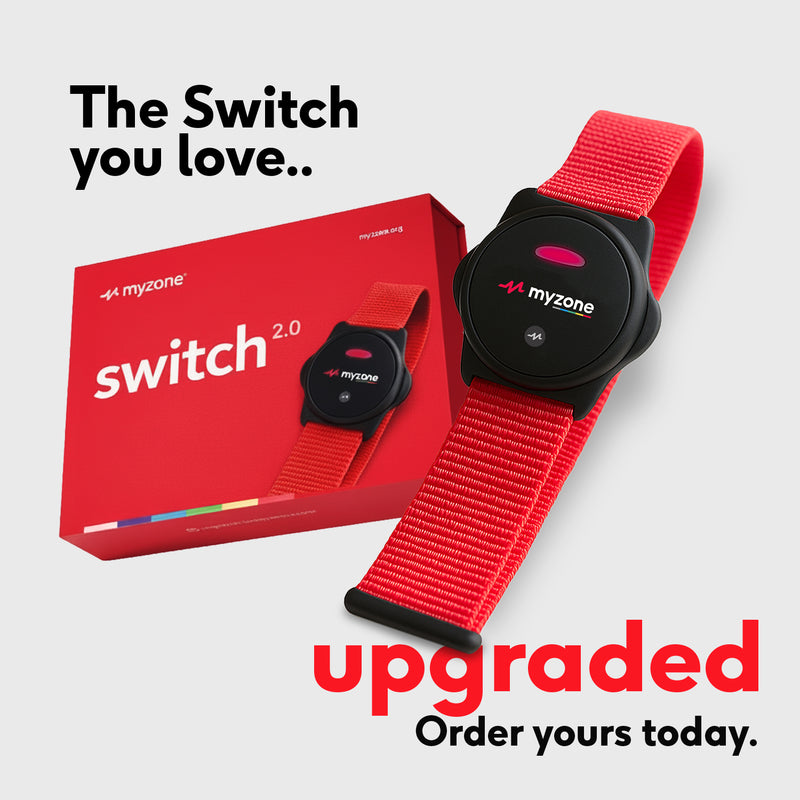
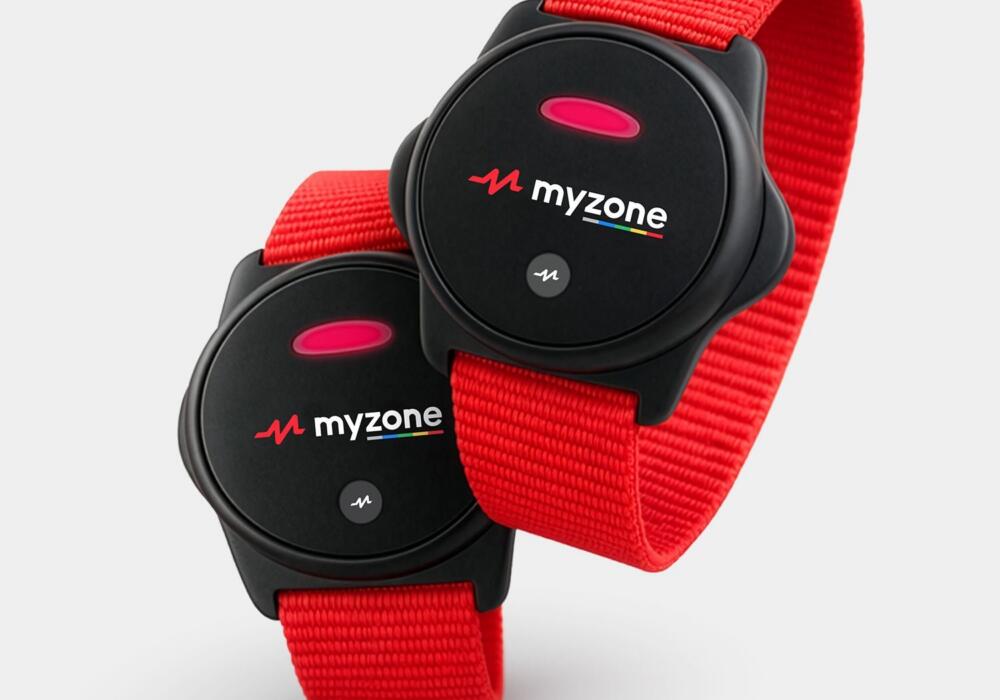
The Myzone Switch 2.0 is a multi-wear heart rate monitor. You can clip it to a chest strap, slide it onto an arm band, or wear it as a wristwatch. It tracks your heart rate in real time, displays your effort zone on Carbon Gym studio screens during classes, and rewards every minute of effort with Myzone Effort Points (MEPs).
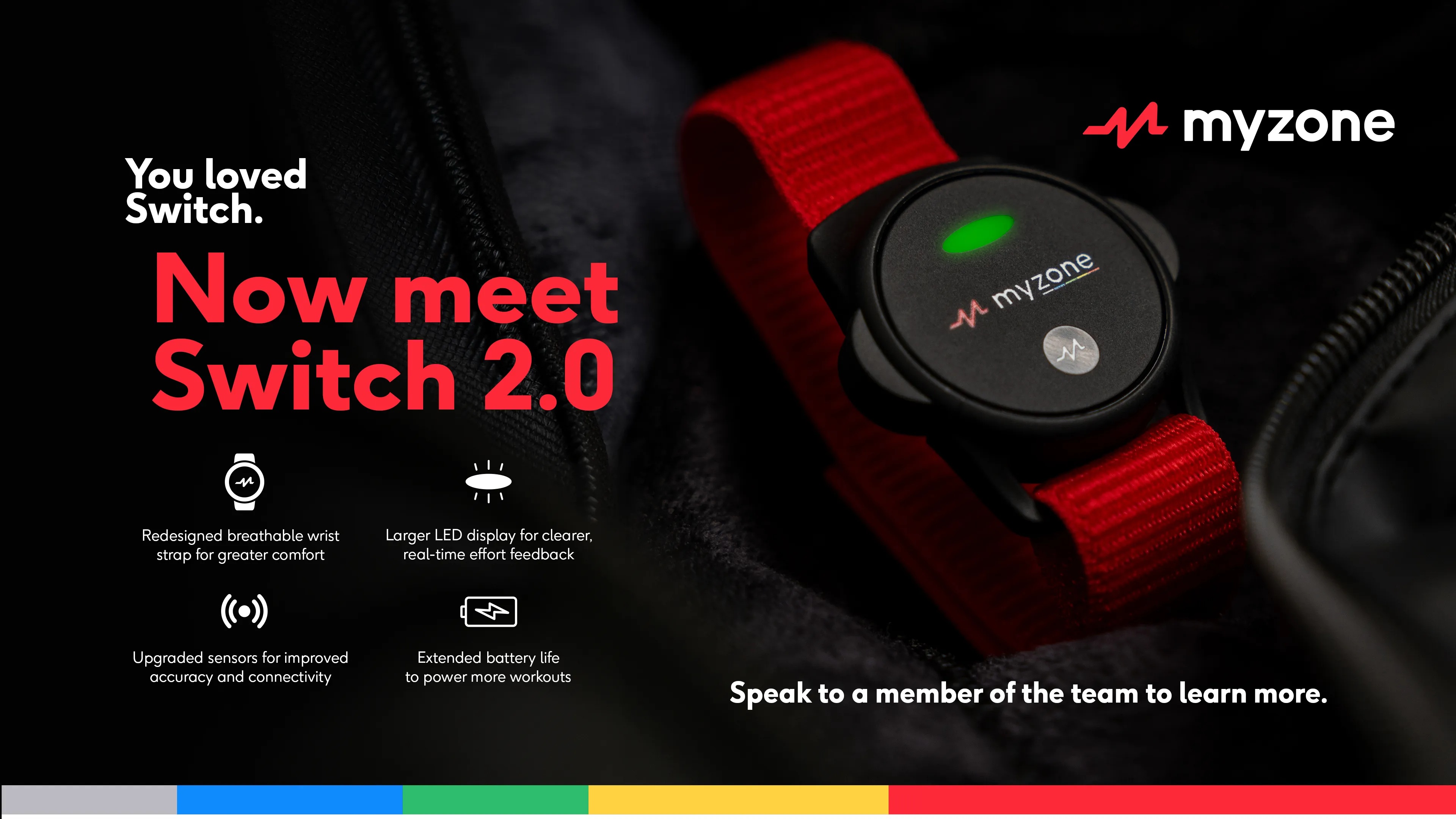
It replaces the original MZ-Switch with four upgrades: a larger LED display, improved accuracy and connectivity, a redesigned breathable strap, and longer battery life. Myzone announced the Switch 2.0 at the HFA Show in March 2026 and we had stock in the gym not long after.
It’s compatible with the tech you already use. Bluetooth and ANT+ so it talks to the Carbon screens, the Myzone app on your phone, and most cardio equipment. If you’ve trained with a Myzone before, your data history moves across automatically.
Why heart rate zone training actually works
Guessing your effort is a waste of a session. Heart rate zones give you a number, and that number changes how you train. Carbon coaches use your zone to push you when you’re coasting and pull you back when you’re redlining too soon. That’s the real value. You stop training on vibes.
The science backs it up. A 2019 ACE-sponsored study found that subjects using predicted maximum heart rate landed in their target zone about 82% of the time, which is a big improvement on guessing. A separate review of endurance athletes found elite runners spend around 75% of their training time below their aerobic threshold, the kind of pacing nuance you can’t get without a monitor.
For most people walking into a group class, the upside is simpler. You get an objective read on whether you went hard enough. No guessing. No ego. Just the data.
What’s new in the Switch 2.0 vs the original?
Four upgrades worth knowing about. They don’t reinvent the device; they fix the small friction points that made the first version mildly annoying.
1. A bigger LED display. Reading your zone mid-round or between sprint intervals used to mean squinting. The new screen is larger and brighter, so you can glance down and see your zone from a metre away.
2. Better accuracy and stronger connectivity. Myzone says the chest-worn ECG sensor hits 99.4% accuracy compared to medical-grade equipment, with 95% accuracy on the arm or wrist. The signal connection is stronger too, so your data doesn’t drop out when you move from the boxing area to the strength rig.
3. A redesigned breathable strap. The wrist strap has been rebuilt for airflow. If you’ve ever finished a class with a sweaty ring around your wrist, you know why that matters.
4. Extended battery life. The Switch 2.0 lasts three to six months between charges. You genuinely forget about charging it, which is the point.
How Myzone works at Carbon Gym Geelong
Every group class at Carbon Gym uses Myzone. Walk into the boxing studio or the strength floor and your name and heart rate zone pop up on the screen. You see it. The coach sees it. Everyone in the class sees it. The coaches use it to program harder.
In a boxing round, your coach might notice you’re still in blue (60–69% of max) halfway through a combo. That’s a cue to pick up your output. In a HIIT interval, if you’ve sat in red (90%+) for too long, the coach will drop you back. You get real-time coaching based on your own body.
Between classes, the Myzone app tracks your history. You can see how many sessions you did this week, how many MEPs you earned, and how your fitness is trending. Book into our group classes wearing a Switch 2.0 and the data collects itself.
For members doing boxing, Muay Thai, or BJJ, this matters more than it does for a treadmill runner. Combat training is irregular by nature. You can’t pace yourself like a steady-state runner does. The monitor gives you the pacing information you can’t feel on your own.
What are MEPs, and why do they matter?
MEPs (Myzone Effort Points) measure effort, not output. You earn MEPs based on the heart rate zone you’re working in, which means a less-fit member can earn the same MEPs as a fitter member if both are working equally hard for their body. It’s the fairest fitness score out there.
The MEPs scale works like this:
- Grey zone (50–59% max HR): 1 MEP per minute
- Blue zone (60–69%): 2 MEPs per minute
- Green zone (70–79%): 3 MEPs per minute
- Yellow zone (80–89%): 4 MEPs per minute
- Red zone (90–100%): 4 MEPs per minute (capped to protect you from overtraining)
Myzone recommends 1,300 MEPs a month, which aligns with the World Health Organization’s physical activity guidelines. Hit that most months and you’re moving enough to build real fitness. Miss it and the app tells you, gently.
Why MEPs actually work: they gamify consistency. A 2025 systematic review in the Journal of Medical Internet Research found that wearable activity trackers improve adherence by giving users tangible progress feedback and reinforcing self-efficacy. That’s what MEPs do. You finish a class, see a number, and want to beat it next time.
How much does the Switch 2.0 cost at Carbon?
The Switch 2.0 is $180 at Carbon Gym Geelong, down from the RRP of $210. That’s a $30 member saving off retail. PayPal Pay in 4 and Afterpay are both available at checkout, so you can split it into four interest-free payments if that’s easier.
You can buy one in-store at the front desk, or order through the Switch 2.0 product page and collect at the gym. Stock is limited for the launch price, so don’t sit on it.
Who should wear one?
If you train in group classes at Carbon, you’ll get the most out of a Switch 2.0 because your zone shows on the screen. The monitor also works outside the gym. You can wear it for a run along the Bellarine rail trail, on the bike, or for a swim. The device is water-resistant and built for multi-sport use, so pool sessions are fine.
Personal training clients benefit too. Your coach can program your session around actual zones instead of estimated effort. Anyone coming back from injury or managing a cardiac condition gets an accurate heart rate read that acts as a safety floor. Check in with your coach and your GP if that’s you.
The only people who probably don’t need one are casual gym-goers who lift solo with no cardio component. For everyone else doing classes and mixed training, the Switch 2.0 pays for itself inside a couple of months of sharper sessions.
Ready to upgrade your training?
Two takeaways. First: heart rate data turns “that felt hard” into measurable progress, and that’s worth a lot if you’ve been training for a while and feel stuck. Second: the Switch 2.0 is the easiest version of Myzone yet. Wear it how you want, charge it once every few months, forget about it.
Grab one at the gym or order through the Switch 2.0 product page while the launch price is still on. If you’re not a Carbon member yet, the free intro offer is the way in. Come train, borrow a Myzone for the session, and see how live zones change your workout. It’s hard to go back to training blind once you’ve felt the difference.
Questions? Pop in and see us at U3/21-31 The Boulevard, Norlane. We’ll get you set up at the desk.
Frequently Asked Questions
Can I use my old Myzone account with the Switch 2.0?
Yes. The Switch 2.0 is a new device with its own straps, but your Myzone account stays the same. Log in on the app, pair the Switch 2.0, and your full MEPs history, status ranking, and workout log carries across automatically.
Does the Switch 2.0 work outside the gym?
Yes. It works anywhere you’re moving. Use it on a run, ride, swim, or hike. The device is water-resistant and supports Bluetooth and ANT+, so it connects to most cardio gear and running apps. Anything you do earns MEPs as long as your heart rate is above 50% of your max.
How long does the Switch 2.0 battery last?
Between three and six months on a single charge, according to Myzone’s official specs. The range depends on how often you wear it and which mode you use. Most Carbon members charge it once a quarter and forget about it.
Is the Switch 2.0 waterproof?
The Switch 2.0 is built for water-based training, which covers swimming, showering, and sweat. It isn’t rated for deep diving, but for anything you’d reasonably do in a pool or the ocean, you’re fine.
How do I set up my Switch 2.0 at Carbon Gym?
Download the Myzone app, create an account (or log in if you already have one), and pair the Switch 2.0 by following the prompts. Then sign in at the Carbon front desk so we can link your account to the Carbon screen system. Your zone will then display automatically in classes. Takes about five minutes, and the team will help you if you get stuck.