Carbon Gym Has a New App
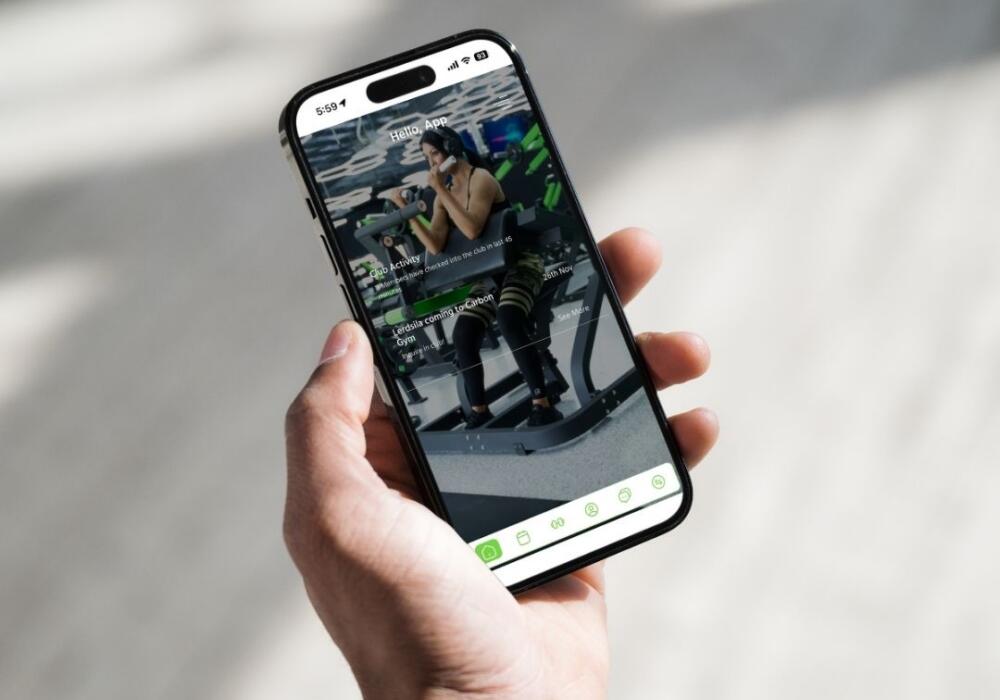
The Carbon Gym App is here, replacing MyClub for every Carbon Gym member. If you’ve had MyClub on your phone, it’s time for an update: everything you used it for, you can now do in the new app, plus a handful of extra features built around how our members actually train. Whether you’re locking in a boxing class before it fills up or checking how busy the gym is before you drive over, it’s all in your pocket.
Why Carbon Gym Built Its Own App
We wanted more control over the features that matter most to our members, like mobile door access and live gym traffic, instead of being stuck with a one-size-fits-all system. The Carbon Gym App also connects properly with MyZone, so members who track their heart rate in class can see that data sitting next to their bookings in one place.
It means faster updates too. When members ask for a new feature, we can get it built and shipped much faster than before.
What Can You Do in the Carbon Gym App?
The app covers the everyday stuff you need as a Carbon Gym member, plus a couple of handy extras:
- Book classes, from boxing and Muay Thai to BJJ, Pilates, and Carbon Fit.
- Manage your membership, including upgrades, holds, and payment details.
- Check in when you arrive, no card required.
- Unlock the door and get into the gym straight from your phone, so you can leave your access card at home.
- Check how busy we are, based on how many members have checked in over the last 45 minutes, so you know before you leave home whether it’s quiet or packed.
- See what’s on, with the full timetable in your pocket.
The busy tracker is worth using if you like having the gym floor to yourself, or if you’d rather dodge the after-work rush. Check it before you leave home and pick a time that actually suits you.
If you’re new to Carbon Gym, you can also sign up for a membership directly through the app.
More Ways the App Makes Training Easier
There’s more to it than bookings and check-ins. If a class is full, join the waiting list and you’ll get a notification the moment a spot opens up. Training one-on-one with a coach? Book and manage your personal training sessions in the same app instead of texting back and forth.
The app also sends push notifications straight to your phone, so you’ll hear first if a class time changes or if there’s Carbon Gym news worth knowing. If your coach builds you a tailored workout plan, you can track it session by session inside the app. Train with a MyZone belt? It connects straight in, so your heart rate and effort data sit alongside your bookings in one place.
How Do I Download the Carbon Gym App?
Search “Carbon Gym” in the App Store or Google Play, or tap the links below. It’s a free download, and setup only takes a couple of minutes.
Download on the App Store
Get it on Google Play
Once it’s installed, log in with the same details you used for MyClub, or set up a new account with the email address on your Carbon Gym membership.
Had Trouble Logging In?
If your old MyClub login doesn’t carry across, don’t worry. Pop into reception or email hello@carbongym.com.au and the team will get you sorted, usually while you wait.
Carbon Gym App FAQs
Is the Carbon Gym App free?
Yes. It’s a free download for every member, and there’s no extra cost to use any of its features.
Do I need the app to check in?
No. Reception can still check you in at the desk. The app just makes it faster, since you can check yourself in and unlock the door without waiting in line.
Can I still use my old access card?
Yes. Your card still works. The app just gives you a second way in, straight from your phone, for the days you forget it.
Ready to Get Started?
Not a member yet? Check out our intro offer and book your first class free. Already training with us? Download the Carbon Gym App today and you’ll always know what’s on, how busy we are, and when your next class starts, all from your phone.